

Key takeaways
- Version history: Protects against accidentally overwritten files and ransomware by retaining earlier versions.
- Computer backup support: Look for scheduled image or file backups for Windows and macOS, not just manual drag-and-drop copying.
- Phone photo backup: Automatic camera-roll uploads are convenient, but verify that originals—not only optimized previews—are transferred.
- Snapshots: Useful for quick recovery from deletion or encryption, but snapshots consume space and are not a separate device.
- Off-site replication: A second location or reputable cloud service protects against physical loss of the NAS.
- Restore testing: A backup is only dependable when you have opened restored files and confirmed that the process works.
The best home servers for storage and backups are the Synology DS224+ for most households, the QNAP TS-233 for a low-cost two-drive setup, the Synology DS923+ for expandable storage, and the TerraMaster F4-424 when fast networking and four bays matter more than the simplest software.
Our top picks

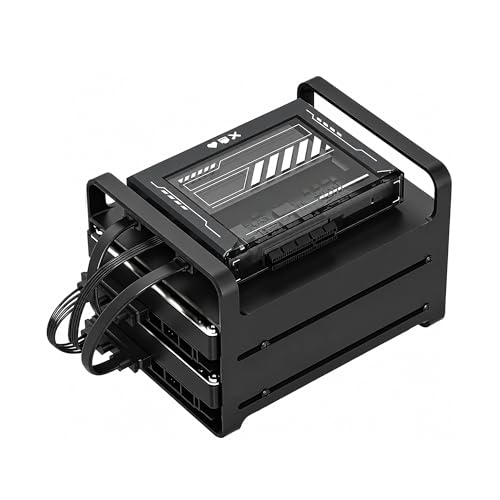

As an Amazon Associate we earn from qualifying purchases at no extra cost to you. Ratings are shown as listed on Amazon.
Best home servers at a glance
| Model | Drive bays | Typical raw capacity | Network | Noise and power | Best for |
|---|---|---|---|---|---|
| QNAP TS-233 | 2 | Up to about 36TB with two 18TB drives | 1GbE | About 18–25 dB; roughly 10–15W idle without drives | Basic backups and media storage on a budget |
| Synology DS224+ | 2 | Up to about 36TB with two 18TB drives | 1GbE | About 20–25 dB; roughly 15–20W idle without drives | Easy setup, family backups, and everyday file sharing |
| Synology DS923+ | 4 | Up to about 72TB with four 18TB drives | 1GbE; optional 10GbE upgrade | About 21–27 dB; roughly 25–35W idle without drives | Large photo libraries and long-term expansion |
| TerraMaster F4-424 | 4 | Up to about 72TB with four 18TB drives | Two 2.5GbE ports | About 20–30 dB; roughly 25–35W idle without drives | Fast local transfers and demanding home media libraries |
Capacity figures are raw totals before RAID, filesystem overhead, and reserved space. A two-drive mirror provides protection against one drive failing, but usable capacity is approximately the size of one drive. Four-drive RAID 5 provides roughly three drives’ capacity, subject to the same overheads.
Our picks by household situation
| Your situation | Recommended choice | Why |
|---|---|---|
| First server, two to four users, minimal technical experience | Synology DS224+ | Clear software, strong backup tools, and a manageable two-drive design |
| Lowest sensible cost for documents and computer backups | QNAP TS-233 | Low power consumption and enough performance for basic file services |
| More than 10TB of data, or expected growth over five years | Synology DS923+ | Four bays, ECC memory, expansion options, and optional 10GbE |
| Several PCs transferring large video files over a fast wired network | TerraMaster F4-424 | Two 2.5GbE ports and four drive bays provide more local throughput |
| Mostly streaming, with little need for advanced applications | Two-bay NAS with hardware media support | It avoids paying for expansion and processing power you will not use |
Synology DS224+: the easiest all-rounder
The DS224+ is the safest recommendation for a typical home because Synology’s DiskStation Manager software makes routine tasks understandable: shared folders, user permissions, computer backups, phone photo uploads, and off-site copies are presented in one ecosystem. Its two bays support mirrored storage, so it works well for family documents, photos, and laptop backups.
Its limitation is expansion. Once both bays are occupied, adding capacity means replacing drives one at a time with larger models and waiting for the storage pool to rebuild. That process can take many hours or more than a day, during which the server is under sustained disk activity. The 1GbE connection is also a ceiling of about 110–115MB/s in ideal conditions, which is fine for backups but slow for large video projects.
Expect a moderate initial price for the enclosure, followed by the cost of two NAS-rated hard drives. It is quiet enough for a home office, but mechanical disks still produce clicking and vibration; placing it on a solid shelf rather than a hollow desk helps.
QNAP TS-233: inexpensive backup storage
The TS-233 is appropriate when the main requirement is simple network storage rather than a broad application platform. Two drives can be configured as a mirror, and QNAP’s software supports scheduled computer backups, snapshots on compatible volumes, and remote access features.
Its ARM-based hardware and 2GB of memory are adequate for documents, photos, and a few users. They are less suitable for multiple demanding applications, virtual machines, or frequent video transcoding. The 1GbE port makes it a backup destination rather than a high-speed editing server.
This type of NAS is often the most economical way to get redundancy, but redundancy is not a backup by itself. If ransomware encrypts the shared folder, or a household mistake deletes files, the mirrored copy may be changed too. Keep a separate USB backup or cloud copy.
Synology DS923+: the long-term expandable option
The DS923+ makes more sense than a two-bay model when you already have a large photo archive, run surveillance cameras, or expect your storage needs to grow steadily. Four bays allow more flexible layouts, including a four-disk RAID 5-style arrangement that retains usable capacity after one drive fails.
It also supports NVMe storage and an optional 10GbE network adapter. Those upgrades are useful for many simultaneous users or large local transfers, but they are not magic speed buttons: slow hard drives, Wi-Fi, switches, and client computers can remain bottlenecks. Its AMD processor is capable for file services and many productivity applications, although it is not the ideal choice if hardware video transcoding is central to your setup.
The DS923+ uses more electricity and costs more than a two-bay server. Choose it when avoiding a replacement purchase in two years is worth the higher initial investment, not simply because four bays sound attractive.
TerraMaster F4-424: faster networking for power users
The F4-424 targets households with wired 2.5GbE networking, large media collections, and several concurrent transfers. Its four bays and two 2.5GbE ports can substantially reduce transfer times compared with a 1GbE NAS, provided the router or switch and client computers support the faster standard.
TerraMaster’s TOS operating system has improved, but its ecosystem and documentation are generally less beginner-oriented than Synology’s. That makes the F4-424 good value for someone willing to learn storage permissions, backup jobs, and remote-access settings. It is less appealing if several nontechnical family members will administer the system.
How much usable storage do you really need?
Start with current data, then allow room for growth and backups. For example, suppose a household has 4TB of photos and videos, 1TB of documents, and 2TB of computer backup data. That is 7TB before future growth. A two-drive mirror using 12TB drives provides roughly 12TB usable, leaving about 5TB for growth and snapshots. Two 8TB drives would provide only about 8TB usable, which may become restrictive sooner than expected.
For a four-drive system, four 12TB drives in RAID 5 provide approximately 36TB raw usable before overhead. That protects against one drive failure, but it does not protect against theft, fire, accidental deletion, or malware. The separate backup should be large enough to hold the data you cannot replace, not necessarily every temporary file.
Backup features that matter
- Version history: Protects against accidentally overwritten files and ransomware by retaining earlier versions.
- Computer backup support: Look for scheduled image or file backups for Windows and macOS, not just manual drag-and-drop copying.
- Phone photo backup: Automatic camera-roll uploads are convenient, but verify that originals—not only optimized previews—are transferred.
- Snapshots: Useful for quick recovery from deletion or encryption, but snapshots consume space and are not a separate device.
- Off-site replication: A second location or reputable cloud service protects against physical loss of the NAS.
- Restore testing: A backup is only dependable when you have opened restored files and confirmed that the process works.
A practical schedule is daily incremental backups, monthly retention for important files, and an occasional offline copy. Disconnecting a USB backup after it finishes reduces exposure to malware and power faults.
Noise, power use, and placement
Hard-drive noise usually matters more than the enclosure’s fan rating. A NAS with two or four disks may be audible in a quiet bedroom, especially during rebuilds. Keep it in a ventilated office, utility area, or media cabinet with open airflow. Do not place it inside a sealed cupboard.
At 20–35W continuously, a home server uses approximately 175–307kWh per year. At an electricity rate of $0.20 per kWh, that equals roughly $35–$61 annually, before sleep modes and drive differences. Add more drives and the cost rises. Scheduled hibernation can reduce consumption, but frequent sleep and wake cycles may be inconvenient and are not always ideal for a busy server.
Setup and ownership checklist
- Install two or more matching-capacity NAS-rated drives, following the manufacturer’s compatibility guidance.
- Connect the server to the router with Ethernet rather than relying on Wi-Fi.
- Create separate user accounts; do not share one administrator password with the household.
- Enable automatic updates, but schedule them outside important backup windows.
- Configure a mirrored or parity-based storage pool before copying irreplaceable files.
- Set up versioned computer backups and a second backup destination.
- Test recovery by restoring several files, including a large video and an older document.
Drives are the components most likely to wear first. Monitor warnings, rising bad-sector counts, unusual clicking, and failed self-tests. Replace a suspect disk promptly, but avoid removing a healthy disk simply because its warranty is ending. Keep ventilation clear, clean dust from external vents periodically, and have a replacement plan for the enclosure as well as the drives.
Bottom line
Choose the Synology DS224+ if easy storage and dependable household backups are your priorities. Choose the QNAP TS-233 for the lowest-cost two-drive system. Choose the Synology DS923+ when capacity growth and expansion matter, and the TerraMaster F4-424 when you have a 2.5GbE network and are comfortable with more hands-on setup. Whichever model you buy, budget for a separate backup: RAID keeps a server running after some drive failures, but it does not replace a backup.








Write Your Review
No reviews yet. Be the first to share your experience!